 Skip to content


You are getting tickets from Twitter, reviews stacking up on Google, and calls flooding your contact centre. Three different tools. Three different dashboards. Zero shared context.
By the time someone stitches all that together, the customer has already churned, the complaint has gone public, or the window to fix something quietly has closed.
Most CX teams do not have a data problem. They have a fragmentation problem. Customer experience analytics platforms exist to solve exactly this: one place where every signal lands, every team can act, and leadership can see what is actually happening with customers. Not in the quarterly review. Now.
By the end of this post, you will know which platforms are worth evaluating, how they compare on the features that matter in practice, and the questions to ask before you sign anything.
TL;DR:
Quick Comparison Table
| Platform | Best For | Key Strength | Free Trial |
| Konnect Insights | Omnichannel CXM + social listening | Unified social + voice + CRM in one place | Yes |
| Qualtrics | Enterprise VoC programmes | Survey depth + XM research tools | No |
| Zendesk | Support-first CX | High-volume ticket management | Yes |
| InMoment | Feedback + contact centre analytics | AI conversation summaries | Custom |
| Medallia | Enterprise VoC with deep analytics | Signal capture across all touchpoints | No |
| Sprout Social | Social-first CX analytics | Social listening + engagement reporting | Yes |
| Zoho CRM | Full-spectrum CXM for SMBs | Breadth across marketing, sales, support | Yes |
| Chattermill | eCommerce and retail CX | Customer voice analytics with NLP | Custom |
| SentiSum | Support ticket + feedback analysis | Automated tagging across all channels | Yes |
| Hotjar | Digital behaviour + UX analytics | Heatmaps and session recordings | Yes |
The 10 Best Customer Experience Analytics Platforms
1. Konnect Insights
If you have ever watched a product complaint go viral while your support team had no idea it was happening, you already understand the architecture problem.
Most organisations are not short on data. They are short on connected data.
Konnect Insights is built to solve exactly that.

Unified CXM Data Across Every Channel
Konnect Insights goes beyond conversation consolidation. It unifies all customer experience data across social media, contact centres, review platforms, emails, and CRM systems into a single structured layer.
This means every interaction, whether it starts on X, moves to WhatsApp, and ends on a support call, is stitched into one continuous customer journey.
An agent handling a WhatsApp complaint can instantly see:
- The same customer’s earlier tweet
- Their Google review from last month
- Their call log from last week
All in one place. Before they type a single response.
This is not just visibility. It is context at the moment of action.
A Centralised Command Centre for CX Teams
Konnect Insights offers a unified digital command centre where teams can monitor, manage, and respond to customer interactions in real time.
Instead of switching between tools for social listening, ticketing, and analytics, everything operates from a single interface.
This changes how teams work:
- Social, support, and marketing teams operate from the same system
- Escalations happen faster because context is already available
- Leadership gets a live view of brand health, not a delayed report
The result is simple. Faster decisions. Fewer blind spots.
Built-In BI and Real-Time Dashboards
Data without clarity is noise. Konnect Insights solves this with its integrated BI dashboards and analytics layer.
Teams can:
- Track sentiment trends across channels
- Monitor agent performance and response metrics
- Identify recurring complaint themes
- Measure campaign impact alongside customer feedback
The dashboards are not static reports. They are live, customisable views that reflect what is happening with customers right now.
This allows both operational teams and leadership to move from observation to action without waiting for separate analytics workflows.
AI That Works Across the System
Konnect AI+ runs across every module, not as an add-on, but as part of the system’s core.
It powers:
- Sentiment analysis across all channels
- Ticket auto-summaries for faster resolution
- Agent quality scoring for performance tracking
- Next-best-action suggestions for smarter responses
The goal is not to add more data. It is to reduce effort and improve decision-making at scale.
Platform Coverage and Integrations
Channel coverage: 20+ sources including X, Instagram, Facebook, YouTube, LinkedIn, TikTok, Google Reviews, App Stores, forums, email, and calls via CTI
Integrations: Microsoft Dynamics 365, contact centres, chatbots, CRMs, and 1,000+ connectors via marketplace
Key Features
- Unified CXM platform across social, voice, email, reviews, and CRM
- Digital command centre for real-time monitoring and engagement
- Built-in BI dashboards with custom reporting
- AI-powered sentiment analysis, tagging, and recommendations
- Omnichannel ticketing and customer journey tracking
Pros
- True unification of CX data across all major customer touchpoints
- Real-time visibility through a centralised command centre
- Strong built-in analytics and BI capabilities
- AI integrated across the system, not as a separate layer
- Reduces tool fragmentation and operational silos
Cons
- Custom pricing may require evaluation for budget alignment
- Implementation may require alignment across multiple teams
- Feature depth may need onboarding for full utilisation
Reviews (G2 / Capterra)
- Highly rated for its ability to unify multiple CX channels into one platform
- Users highlight strong analytics, reporting, and real-time monitoring capabilities
- Positive feedback around AI features reducing manual workload and improving response quality
Read detailed reviews on G2 & Capterra
Pricing:
- Starter: $39/user/month
- Professional: $79/user/month
- Advanced: $119/user/month
- Enterprise: Custom
To understand plan-wise features and scalability options, visit our full pricing page.
Custom pricing based on business requirements (demo available)
Best for: Enterprises managing CX across social, voice, and digital with a single unified system
2. Qualtrics XM
Qualtrics is what most large enterprises reach for when they want a formal, structured Voice-of-Customer programme. Customer, employee, product, and brand experience in one system – useful when CX research is its own function rather than shared responsibility.
The CoreXM module handles NPS and CSAT surveys well. XM for Customer Frontlines brings in contact centre and digital behaviour data – clicks, rage taps, form exits – and correlates it against survey scores. That correlation layer is useful for understanding why satisfaction drops, not just that it has.
One thing Qualtrics does not do: capture what customers say when you are not asking. The unsolicited complaint on Twitter, the forum thread, the WhatsApp message to your brand account – those signals live outside the survey framework.

Key Features
- Advanced NPS, CSAT, and custom survey creation
- Experience Management (XM) across customer, employee, product, and brand
- Behavioural analytics with digital journey tracking
- AI-powered text and sentiment analysis for survey responses
- Role-based dashboards and reporting
Pros
- Strong survey design and research capabilities
- Deep analytics for structured feedback programmes
- Enterprise-grade reporting and scalability
- Well-suited for organisations with dedicated CX research teams
Cons
- Limited coverage of unsolicited, real-time customer feedback from social and messaging platforms
- Implementation and setup can be resource-intensive
- Requires integration with other tools for full CX visibility
- Higher cost compared to mid-market alternatives
Reviews (G2 / Capterra)
- Widely rated highly for survey capabilities and enterprise scalability
- Users appreciate the depth of analytics and flexibility in research design
- Common feedback highlights complexity in setup and a steeper learning curve for new users
Pricing
Custom pricing based on modules and enterprise requirements
Best for: Large enterprises with formal VoC programmes and dedicated research teams
3. Zendesk
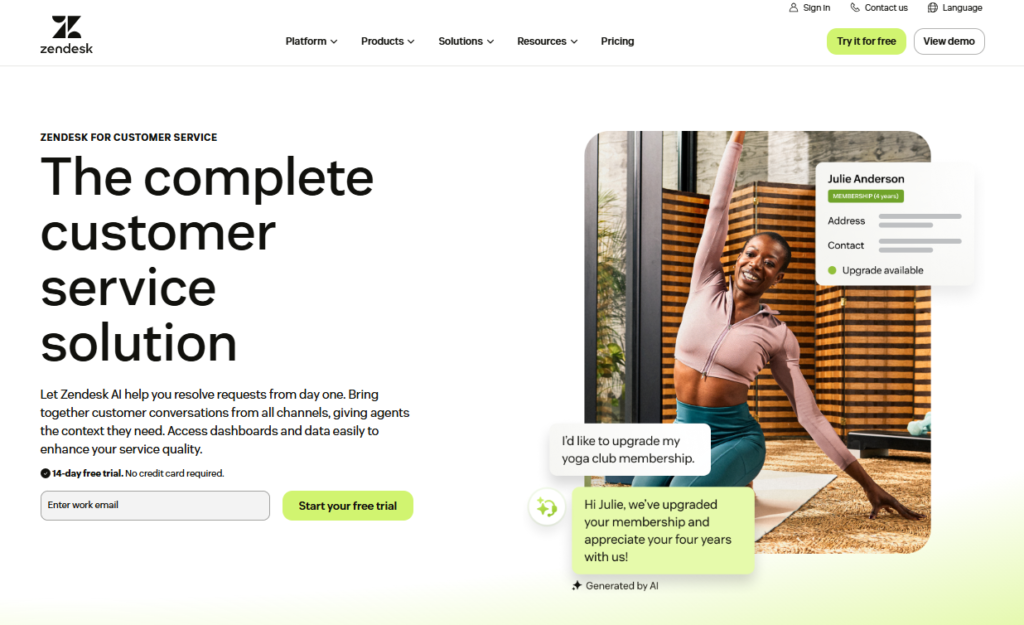
Zendesk earned its reputation handling scale. For support teams processing thousands of tickets daily across multiple channels, it delivers. The workflow is clean, SLA management is solid, and the agent learning curve is short.
The analytics layer covers ticket volume, agent performance, first response time, and CSAT. For support-first operations, that is exactly what is needed.
Where it shows limits as a broader customer experience data analytics tool: the social listening is thin, and connecting ticket data to brand-level intelligence almost always requires third-party additions. Zendesk solves the support problem. The wider CX picture needs more.
Key Features
- Omnichannel ticketing across email, chat, voice, and social
- SLA management and workflow automation
- Built-in analytics for support performance tracking
- Knowledge base and self-service portal
- Integration ecosystem with CRM and third-party tools
Pros
- Highly scalable for large support operations
- Clean interface with a short learning curve for agents
- Strong ticket management and automation capabilities
- Reliable performance for high-volume environments
Cons
- Limited native social listening and brand-level CX insights
- Requires additional tools for full CX analytics coverage
- Costs can increase significantly with add-ons and scaling
- Less suited for unified, cross-channel CX intelligence
Reviews (G2 / Capterra)
- Strong ratings for ease of use and ticket management efficiency
- Users highlight reliability and scalability for support teams
- Common concerns include rising costs and dependency on integrations for advanced analytics
Pricing
Starts from $55 per agent per month (varies by plan and features)
Best for: Support-heavy operations that need proven, scalable ticketing and analytics
4. InMoment
InMoment focuses on contact centre conversations and survey data together. The AI conversation summary feature handles the part of the job that used to require an analyst sitting through hundreds of call recordings: it surfaces themes, intent signals, and emotion scoring automatically.
The predictive intent layer is strong for teams that want to understand not just what customers said, but what they were signalling about what they would do next.

Key Features
- AI-powered conversation analytics for call centre data
- Survey management with NPS and CSAT tracking
- Predictive intent and emotion analysis
- Automated theme detection across feedback channels
- Role-based dashboards and reporting
Pros
- Strong capabilities in analysing call centre conversations at scale
- Reduces manual effort through automated summaries and insights
- Useful for identifying intent and predicting customer behaviour
- Combines survey and voice data in one system
Cons
- Limited coverage of social and real-time unsolicited feedback channels
- Requires integration for broader CX data unification
- Implementation can be complex for large organisations
- Less focused on end-to-end omnichannel CX visibility
Reviews (G2 / Capterra)
- Positively rated for AI-driven insights and conversation analytics
- Users appreciate the depth of analysis for call centre data
- Some feedback highlights complexity in setup and reporting customisation
Pricing
Custom pricing (demo required)
Best for: Teams that want deep, combined analysis of call centre and survey data
5. Medallia
Medallia pulls feedback from surveys, digital behaviour, call logs, and social into a single VoC layer. The role-based reporting structure is where it earns its enterprise positioning: a store manager sees their store’s data, a regional director sees regional patterns, the CCO sees the whole picture.
The implementation is real, though. Medallia is not a platform you stand up in a fortnight. For organisations that have the time and resource to do it properly, the depth is there.

Key Features
- Omnichannel feedback collection across surveys, digital, voice, and social
- Role-based dashboards for different levels of the organisation
- AI-powered text analytics and sentiment analysis
- Journey analytics to map customer interactions across touchpoints
- Closed-loop feedback management systems
Pros
- Strong enterprise-grade VoC capabilities
- Comprehensive feedback capture across multiple touchpoints
- Customisable reporting for different business roles
- Deep analytics for large, complex organisations
Cons
- Lengthy and resource-intensive implementation process
- Requires significant internal alignment across teams
- Higher cost compared to mid-market solutions
- May be complex for organisations without dedicated CX teams
Reviews (G2 / Capterra)
- Highly rated for enterprise-level analytics and reporting depth
- Users appreciate its ability to handle large-scale VoC programmes
- Common feedback highlights complexity in onboarding and configuration
Pricing
Custom pricing based on enterprise requirements
Best for: Large organisations that need structured, multi-department VoC infrastructure
6. Sprout Social
Sprout Social works well for marketing teams that want to connect social performance directly to CX outcomes. The listening is capable, the publishing interface is clean, and the analytics cover share of voice, sentiment trends, and competitor benchmarking.
The ceiling appears when you try to extend Sprout into a full omnichannel analytics tool. It was not built for enterprise ticketing or contact centre data. Marketing teams typically get real value from it. CX operations teams tend to find its limits within a year.

Key Features
- Social media management and publishing tools
- Social listening and sentiment analysis
- Engagement tracking and response management
- Analytics for share of voice, trends, and competitor benchmarking
- Team collaboration and workflow management
Pros
- Strong social media listening and analytics capabilities
- Clean and intuitive publishing interface
- Useful for tracking brand performance and engagement trends
- Well-suited for marketing-focused teams
Cons
- Limited support for contact centre and ticketing data
- Not designed for full omnichannel CX analytics
- Requires additional tools for unified customer view
- Can become expensive at scale for larger teams
Reviews (G2 / Capterra)
- Highly rated for ease of use and social media management features
- Users appreciate its reporting and scheduling capabilities
- Common feedback highlights limitations beyond social analytics use cases
Pricing
Starts from $249 per seat per month (varies by plan and features)
Best for: Marketing teams connecting social performance to CX outcomes
7. Zoho CRM (CXM)
Zoho has expanded from CRM into something closer to a full CXM suite covering marketing, sales, and support analytics across the customer lifecycle. For a growing business that wants to consolidate without paying enterprise licence fees, it is a practical option.
The CX measurement tools within Zoho are serviceable rather than specialist. The value is breadth at a price point that mid-market businesses can actually sustain year over year.

Key Features
- Integrated CRM covering sales, marketing, and support workflows
- Customer lifecycle tracking across multiple touchpoints
- Basic analytics and reporting for CX performance
- Workflow automation and lead management
- Integration with Zoho ecosystem and third-party apps
Pros
- Affordable pricing for growing and mid-market businesses
- Broad feature set across multiple business functions
- Easy to scale within the Zoho ecosystem
- Suitable for teams looking to consolidate tools
Cons
- CX analytics capabilities are not as deep as specialised platforms
- Limited advanced sentiment analysis and social listening features
- Requires additional tools for enterprise-level CX insights
- Customisation and reporting can feel limited for complex use cases
Reviews (G2 / Capterra)
- Well-rated for affordability and ease of use
- Users appreciate the all-in-one ecosystem approach
- Common feedback highlights limitations in advanced analytics and customisation
Pricing
Starts from $14 per user per month (varies by plan and features)
Best for: Growing businesses that want CXM coverage without enterprise-level spend
8. Chattermill
Chattermill uses NLP to analyse reviews, surveys, and support tickets and group them into themes. The industry-specific models for retail, finance, and travel mean the categorisation holds up better than generic text classifiers do against sector-specific language.
For consumer brands that need to understand not just that customers are unhappy but exactly where in the journey things are breaking down, the theme clustering does useful work. Experience analytics software that actually narrows the problem rather than just confirming it exists.

Key Features
- NLP-based feedback analysis across reviews, surveys, and tickets
- Automated theme detection and categorisation
- Industry-specific models for improved accuracy
- Sentiment analysis across multiple feedback sources
- Integration with support and survey tools
Pros
- Strong capabilities in identifying patterns in unstructured feedback
- Industry-trained models improve categorisation accuracy
- Helps pinpoint specific issues in the customer journey
- Useful for brands with large volumes of customer feedback
Cons
- Limited coverage beyond feedback analysis and theme clustering
- Not a full omnichannel CX analytics or engagement platform
- Requires integration with other tools for broader CX visibility
- Less suited for real-time response and operational workflows
Reviews (G2 / Capterra)
- Positively rated for its NLP capabilities and theme detection accuracy
- Users appreciate its ability to turn large volumes of feedback into actionable insights
- Some feedback highlights dependency on integrations for full CX workflows
Pricing
Custom pricing based on business requirements
Best for: Consumer brands needing to identify complaint patterns across digital channels
9. SentiSum
SentiSum auto-tags support tickets, reviews, and survey responses by topic and sentiment across every channel, including calls via transcription. No manual tagging, no analyst overhead. The categorisation runs across everything at once.
For support and CX teams sitting on months of unstructured feedback with no clean way into it, SentiSum reduces the distance between data arriving and a team member knowing what to do with it. The 30-day free trial is a real differentiator at this price tier.

Key Features
- Automated tagging of tickets, reviews, and survey responses
- Sentiment analysis across multiple channels
- Theme detection and categorisation using NLP
- Call transcription and analysis
- Integration with support platforms and CRMs
Pros
- Eliminates manual tagging and reduces analyst workload
- Fast setup for teams dealing with unstructured feedback
- Useful for identifying trends across large datasets
- Accessible entry point with a free trial
Cons
- Focused primarily on feedback analysis rather than full CX workflows
- Limited capabilities for real-time engagement and response management
- Requires integration for broader CX visibility
- Not designed as a complete omnichannel CX platform
Reviews (G2 / Capterra)
- Positively rated for ease of use and automation capabilities
- Users appreciate quick insights from large volumes of support data
- Some feedback highlights limitations beyond tagging and analysis
Pricing
30-day free trial available; custom pricing thereafter
Best for: Support and CX teams with high volumes of untagged ticket data
10. Hotjar
Hotjar sits at the digital behaviour end of this list. Heatmaps, session recordings, and in-page surveys show where users drop off, where they hesitate, and where the experience fractures in ways that ticket data never surfaces.
As a digital experience analytics platform, Hotjar answers a different question from every other platform here. Not “what did the customer say?” but “what did the customer actually do, and where did they stop?” For product and UX teams, that question is often more valuable.

Key Features
- Heatmaps to track user clicks, scrolls, and engagement
- Session recordings for real user behaviour analysis
- On-site surveys and feedback collection tools
- Funnel and conversion tracking
- Integration with analytics and product tools
Pros
- Strong visibility into real user behaviour on websites
- Easy to set up and use for product and UX teams
- Valuable for identifying friction points in digital journeys
- Free tier makes it accessible for smaller teams
Cons
- Limited to website and app behaviour analytics
- Does not cover broader CX channels like social, voice, or support
- Lacks full customer journey visibility across touchpoints
- Requires additional tools for complete CX analytics
Reviews (G2 / Capterra)
- Highly rated for ease of use and visual insights
- Users appreciate session recordings and heatmap clarity
- Common feedback highlights limitations beyond digital experience tracking
Pricing
Free tier available; paid plans start from $32 per month
Best for: Product and UX teams focused on improving digital journeys and conversion
How to Choose the Right CX Analytics Platform
Choosing the right platform is less about features and more about solving the specific visibility gaps your team is facing today.
1. Start with your biggest data gap
Before you evaluate a single feature, identify where you are currently flying blind. Is it social media? Contact centre conversations?
The space between what a customer says in a survey and what they say on Twitter three days after the interaction? The right customer journey analytics tools for your organisation are the ones that close the specific gap costing you most right now, not the ones with the longest feature list on the website.
2. Check whether it covers your active channels
A platform that covers surveys but not social, or social but not voice, does not eliminate fragmentation. It relocates it. Map every channel your customers currently use to reach you, then look for the platform that covers most of them natively, without additional integrations just to make the data readable.
3. Think about who needs the data, not just who collects it
Good customer behavior analytics platforms fit more than one team. If the social team sees social data & the support team sees ticket data. If there is no holistic view, you’ve built another silo.
Who in the organization will have to make decisions based on this data?
4. AI should reduce work, not add a new setup project
When autotagging, ticket summarization, and sentiment scoring all work, they are incredibly valuable. All vendors should be able to do live demos before you buy.
The difference between a clean demo and your tickets is worth seeing before you buy.
5. Integration depth matters more than integration count
Over 1,000 integrations” is a classic marketing number. What’s more important is whether your CRM sync is bidirectional, whether CC data is in the same customer timeline as social tickets, and whether an agent can view the complete history of a customer without switching tabs.
If the vendor can’t demonstrate your desired outcome, then the integration isn’t as deep as you need it to be.
What Most Platforms Get Right and Where They Stop
Every platform on this list does something well. Zendesk handles ticket volume. Qualtrics handles structured VoC. Hotjar handles digital behaviour. Sprout handles social analytics. Each is genuinely good inside its defined scope.
The problem is that enterprises need all of these jobs done, and most CX teams end up running four to six tools to cover them.
The social team, the support team, and the analytics team work in separate platforms, run separate reports, and nobody has a complete picture of what is happening with customers. Leadership gets a quarterly summary. The moment to act is long gone.
The answer is not another tool.
Conclusion
A view shows data. A system acts on data.
Most cx insights platforms on this list offer you a view. Some offer better views than others. Almost none offer complete systems: capturing signals from all channels, unifying intelligence, and all teams working from the same source of truth simultaneously.
If your team spends more time switching across dashboards than actually addressing customer issues, that’s the signal to consolidate.
Konnect Insights was built for this consolidation. Social listening, omnichannel ticketing, agent QA, BI dashboards, and all the AI that runs through it. One login. All channels. No stitching.
Book a demo with Konnect Insights to see how it works for your specific channel mix.
Frequently Asked Questions
Author


